 |
SHARE |  |
 |
 |
 |
 |
||||||||||||||||||||||
|
Secure your business’s success by registering today for i-LAN Technology's exclusive one-day DrayTek Advanced Network Optimisation Workshop: VPN, NAT & Bandwidth Management in Sydney on 30th April 2026. Do not miss this opportunity - spots are limited, so reserve yours now! Why Attend? This in-class workshop offers a valuable opportunity for DrayTek resellers and network administrators responsible for maintaining DrayTek equipment to:
What to Expect? The course combines theory, guided instruction, and practical lab sessions to deliver hands-on experience in configuring DrayTek devices. Participants will gain insights into the latest DrayTek innovations, including the new DrayOS 5 Wi-Fi 7 Vigor2928be, engineered for high-performance business networks; the 2.5GbE high-speed Vigor2136ax-4G and Vigor2767ax-4G routers; and the VigorAP 905 and VigorAP 805 access points, ideal for SOHO and smart home environments. All training materials and equipment will be provided. Light refreshments and lunch are included. 📌 Please bring your notebook/laptop (with an Ethernet port) for the hands-on sessions. |
||||||||||||||||||||||
 |
||||||||||||||||||||||
 |
||||||||||||||||||||||
 |
||||||||||||||||||||||
 |
||||||||||||||||||||||
|
||||||||||||||||||||||
| Course Content | ||||||||||||||||||||||
| Morning Session: VPN Solutions | ||||||||||||||||||||||
Acquire the skills to confidently set up and manage secure VPN links on DrayTek routers. Learn how various VPN tunnels and protocols function, master configurations on DrayOS 4 and DrayOS 5, and develop troubleshooting skills to maintain smooth connectivity for remote users. This course provides the knowledge and confidence needed to implement reliable, secure VPN solutions in any setting.
Part 1: Introduction and Teleworker VPN This session covers the VPN protocols supported by DrayTek routers and explains how VPN tunnels work. It reviews configuration settings for DrayOS 4 and 5, including Teleworker VPN examples. Troubleshooting tips for common dial-in VPN issues are also provided. Additionally, the session includes a practical exercise on configuring a Teleworker VPN using the EasyVPN feature in the latest router firmware. Part 2: Site-to-Site (LAN-to-LAN) VPN Tunnels This session builds on Part 1 by focusing on site-to-site VPN tunnels. It outlines configuration options for DrayOS 4 and DrayOS 5 routers, supported by practical examples. Troubleshooting tips are provided to help resolve common VPN setup issues. Additionally, a hands-on exercise lets you practise connecting a DrayOS 4 router to a DrayOS 5 router. |
||||||||||||||||||||||
| Afternoon Session: Network Address Translation and Bandwidth Management DrayTek Routers | ||||||||||||||||||||||
The afternoon session offers a quick, practical overview of two key DrayTek features: Bandwidth Management for controlling and prioritising traffic, and NAT for enabling secure communication between private networks and the internet. You will learn about the essential tools, including QoS, Bandwidth Limits, Port Redirection, DMZ, Port Triggering, ALG, and how to apply them in real deployments.
This session explores Network Address Translation, its operation, and configuration options in both DrayOS 4 and DrayOS 5 routers. It covers topics such as port forwarding, DMZ hosts, Open Ports, and new features in the latest firmware, including Port Knocking. Troubleshooting techniques for resolving common problems are also discussed. Additionally, there is a hands-on exercise to practice the skills learned during the session. Session 2: Bandwidth Management This session introduces bandwidth management, including traffic shaping and policing. It covers the bandwidth management options available in DrayOS 4 and DrayOS 5 routers, including configuration details for each. Quality of Service is also covered to prioritise selected traffic types. Additionally, there is a hands-on exercise to practice the skills learned during the session. |
||||||||||||||||||||||
| Objective: | ||||||||||||||||||||||
|
To equip participants with the essential knowledge and hands-on skills to configure and troubleshoot VPNs on DrayTek routers running DrayOS 4 and 5, implement secure teleworker access, apply key NAT techniques such as port forwarding and DMZ, and optimise network performance through effective bandwidth management. Please bring your notebook or laptop for the hands-on sessions. If your laptop does not have an Ethernet port, remember to bring a USB-to-Ethernet adapter. |
||||||||||||||||||||||
| Intended Participants: | ||||||||||||||||||||||
|
DrayTek resellers, system integrators, network administrators, etc. |
||||||||||||||||||||||
| Product Credit Voucher | ||||||||||||||||||||||
|
Once your registration is confirmed, a $300 registration fee will be billed. This fee is an investment in your inventory. Upon completing the training, you can select one of the following options as a gesture of our gratitude for your engagement and support, effectively making the full day of professional training, lunch, and networking free. Option A: Receive a $350 credit note (incl. GST) toward your next purchase order of DrayTek devices. Option B: Receive a Vigor2136 router, a VigorAP 805 access point, and a VigorSwitch Q60x switch.  |
||||||||||||||||||||||
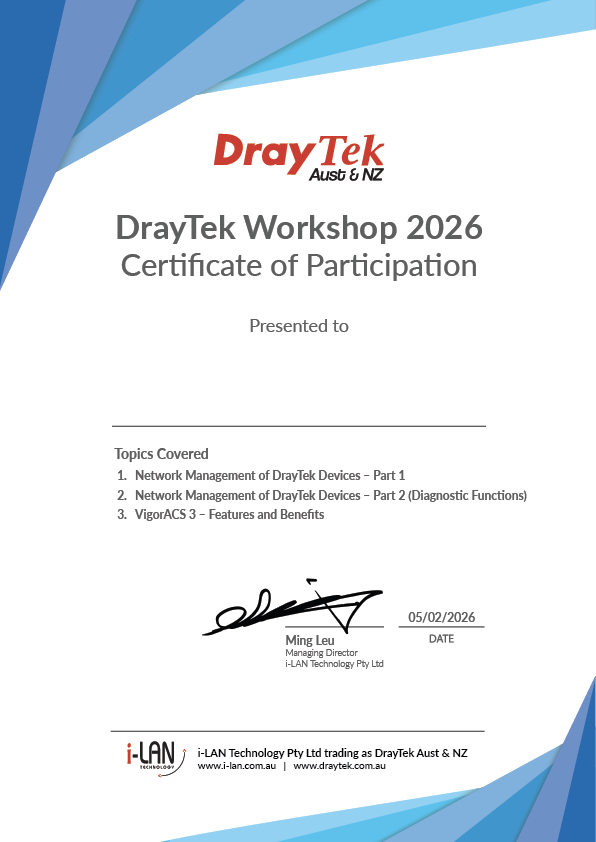
| You’ll also receive a certificate of participation: | ||||||||||||||||||||||
|
||||||||||||||||||||||
|
||||||||||||||||||||||
 |
||||||||||||||||||||||
|
||||||||||||||||||||||
| We warmly invite all registered participants to join us on the workshop day. Confirming your attendance helps us prepare the right amount of food and prevents waste if someone can't attend. Most importantly, we believe the course content will be valuable for your learning and business growth. We look forward to seeing you there. | ||||||||||||||||||||||


| Our Products |
 |
 |
 |
About Us Since 2002, DrayTek Australia has been the exclusive distributor of quality DrayTek products in Australia and New Zealand. Formed in 2007, i-LAN Technology takes over DrayTek Aust & NZ and has since added Ficer fibre module products to the i-LAN product family. In 2018, another subsidiary, i-LAN Water Solutions, was formed to provide solutions for safe drinking water in domestic and commercial premises. We strive to provide products and services that meet the requirements of our customers in Australia and New Zealand. |
Contact Us
 The Hub Unit 10 & 24, 128 Station Rd The Hub Unit 10 & 24, 128 Station RdSeven Hills NSW 2147 Australia  (02) 9838 8899 (02) 9838 8899
 www.i-lan.com.au www.i-lan.com.au
 sales@i-lan.com.au sales@i-lan.com.au
|